Start Here
Core Concepts
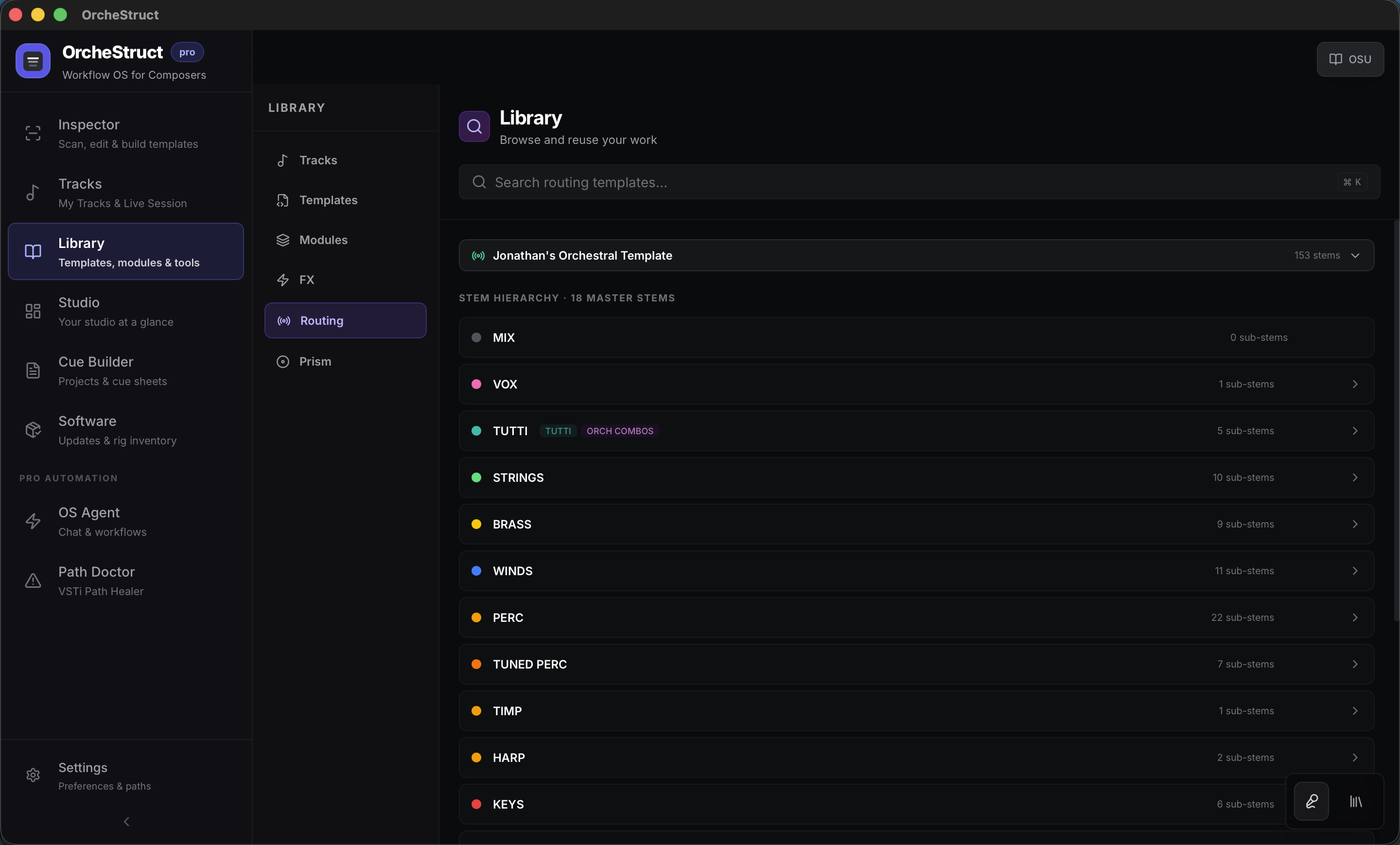
The launch app is easiest to learn as four working areas: Inspector, Tracks, Library, and Studio, with Cue Builder and Software supporting broader studio operations.
Main Surfaces
Inspector is where you scan, review, edit, and export template structure. Tracks is where saved catalog tracks and the current live Cubase session meet. Library is where reusable assets, products, modules, and tools live. Studio is the operational overview.
- Inspector: scan, edit, build, and save templates.
- Tracks: My Tracks plus Live Session.
- Library: templates, modules, tools, and library intelligence.
- Studio: your studio at a glance.
- Cue Builder: project briefs, cues, markers, and cue-sheet workflow.
- Software: updates and rig inventory.
Three Data Layers
Internally, OrcheStruct uses three important layers. The guide mostly uses user-facing names, but these labels appear in the app and support conversations.
- OSU: the library/product encyclopedia, including vendors, products, engines, families, and ownership.
- OSC: your saved catalog of reusable tracks and modules.
- OSP: the live project/session layer from Cubase.
Safe Workflow Pattern
Most OrcheStruct workflows follow the same pattern: read first, preview decisions, then apply. This is especially important for routing and Cubase write-back.
Scan or refresh the current source.
Review confidence, family, routing, and library identity.
Make or accept corrections.
Preview changes when the app offers a preview state.
Apply only the changes you want to send back to Cubase or save into the catalog.